Showing posts with label About Phones. Show all posts

Sunday, April 17, 2016

The Best Productivity Apps for 2016

Buckle down and get productive with these excellent apps for managing your work, organizing your life, collaborating with teams, and much more.

Get off of email. Stop wasting time in meetings. Work smarter, not harder. You've heard it all before. The advice and mantras all over the Internet about making yourself more productive could fill libraries. But there's no one-size-fits-all solution to being more productive. It depends so much on who you are and how you process information, not to mention the details of your work and life: What do you do, and how do you do it?
That's why this list of the best productivity apps is nearly 60 items long. Some productivity tools help you handle email because a big part of your life is handling email. Others automate various aspects of your life so you can get back to doing hard work that requires creativity and focus.
With the right productivity apps and services at your fingertips, you can increase your efficiency and get more done. People seem obsessed with productivity these days, but few actually think about what it is or what it means.
To me, the meaning of productivity is highly personal, but ultimately, it's about achieving goals. It's about making the most of your time so that you have time and energy left over to do more.


What Are Your Productivity Goals?

In the traditional sense, the phrase "increasing productivity" means making more money, making more goods, or both. But being more productive now has a much broader meaning. Your goal could be anything from maximizing profits in a business to getting a nine-to-five job done faster so that you have some mental and physical resources left over to pursue personal interests at home. Some people want to get out of the office faster each day to spend more time with their family. Some people want to put in two hours of work each night writing a movie script.

Being more productive is all about figuring out how you want to live your life and making it possible.

What is Productivity Software?

An entire classification of software, productivity software, is devoted to making our work easier and ourselves more productive. It goes way beyond the more old-school definition of office suites, like Microsoft Office, and business applications.

If there's a task to be done, whether it's personal or for your job, there's a productivity app that will help you do it faster, cheaper, and more efficiently. From browser plugins to services that help you maintain important relationships, productivity apps aim to do it all—or at least, try to help you do it all.

Productivity Apps for Individuals

In this age of DIY solutions and the accompanying focus on self-reliance, there are plenty of productivity apps that are almost more like self-help apps. Time-tracking programs, for instance, like RescueTime, help you figure out your work habits and patterns so you can hack your behaviors to make them more productive. Tools that minimize or prevent distractions, such as Stayfocusd, let you impose rules on your Web surfing behavior, blocking sites that might distract when you want to get work done. A lot of these apps aim to help you be the focused, attentive person you wish you were but struggle to be.

Task-management and to-do list apps are also popular among individuals. With the ability to share and sync data through the Internet, it's easy to make lists of chores for your partner and kids, assigning them tasks anytime, anywhere. You can manage household chores and tasks from your home computer, or you can get it done from your smartphone the next time you're stuck waiting in a doctor's office or at the DMV.

Speaking of which, mobile devices are a huge part of the productivity movement. Being able to get a few little jobs done when you have natural downtime is a big part of what makes productivity apps so, well, productive. These apps let us juggle our time differently so that we aren't necessarily working more, but we are getting more done, both in our jobs and our home lives, across all the hours of the day.

And while we're on the subject of getting lots of things done at once, forget everything you think you know about the perils of multitasking. A growing body of research shows that multitasking makes you more productive, not less, as most people believe. There is a hitch, of course. You have to do the right amount of multitasking. Too much causes productivity to plummet. You've probably heard that multitasking prevents long periods of focus and interrupts our thought processes. Well, making use of natural downtime, like being productive while in a waiting room or while stuck on a train, are perfect examples of multitasking efficiently. Multitasking is a rather complicated topic, but the point is that it's not all bad, and mobile productivity apps help you multitask in the right way.

Productivity Apps for Businesses

Of course, there are plenty of productivity apps that fit better for business cases than home and personal life. Project management services, for example, help teams keep track of work and assets so there's less need to continually have meetings and make sure everyone is on the same page. They also give employees greater visibility into all the moving parts that make up a project. It's incredibly more productive to be able to find out who is responsible for what and when with a few clicks of the keyboard than having to track down individuals and ask a million questions.

Invoicing and billing solutions—and really all kinds of online business accounting apps—do wonders for productivity, especially for very small business owners and sole proprietors. When you're a one-woman shop and time is at a premium, you can't afford to waste it messing around with accounting. You need tools that work efficiently and that get it right the first time, every time, so you can get back to the real work that makes your business tick.

And let's not leave out traditional office suites. In this list of the 60 best productivity apps, you'll find plenty of suggestions for word-processing programs, spreadsheet apps, and presentation tools as well. The best ones are now collaborative, letting multiple people work on the same document simultaneously. Quite a few are also free and include a good chunk of storage so you have a place to keep your documents while you work on them.

Problems and Solutions

At the heart of every great productivity app is a solution to a specific problem. Some look toward efficiency, aiming to take an existing product, such as email, and make it easier to use so we waste less time futzing with it. Others seek to silence the noise of the net, bolster collaboration, or unite disparate data.

The 60 programs, mobile apps, plugins, and services in this list are among my favorites for helping anyone be more productive, from office workers to students. It's by no means a comprehensive list, but I hope it lets you explore your options among the truly necessary productivity tools, and also introduces you to some hidden gems that you might have missed while you were busy getting things done.

ABBYY FineReader


ABBYY makes the highest-power OCR software on the market; it's indispensable for anyone who needs fast, accurate text-recognition. This Editors' Choice software is smoothly automated for high-volume and hands-off operations, with precision correction tools for difficult tasks. Its superb tools make it easy to correct doubtful readings by comparing OCR text to the original.


Any.do

Any.do is a collaborative (or personal) task-management app for iOS, Android, and Chrome. It's a beautifully designed to-do app, but one unique feature, called the Any.do Moment, sets it apart from others. The Any.do Moment nudges you to make a habit of reviewing your daily tasks first thing in the morning so you're never caught off guard by surprise tasks and meetings later in the day. Developing a good habit that promotes productivity is extremely hard to do but immensely valuable, and it's impressive that Any.do goes for gold with this special feature.


Asana

Collaborative workplace management tools are transforming how teams get work done together, and Asana was among the first to make a real splash. Asana helps teams keep track of what needs to get done and have both visibility into work and accountability, too. Businesses large and small are using it to manage projects, get employees off email, and inspire a new way of working. It's one of the best productivity apps available today, making it an Editors' Choice.

Boxer

Email is a persistent pain for a lot of people. Finding an email app that gives you the tools you need to help you better manage your particular inbox can make all the difference. If you like to have a lot of control over how your app works, including the ability to assign specific actions to swipe gestures, then Boxer is for you. With fast notifications, plentiful customization options, and an integrated calendar and contacts list, this app for iPhone and Android provides a lot of value to those who like control and want to be more productive when it comes to mobile email.


Brewster

Brewster is an excellent contact manager; if everyone used it, no one would ever waste any time cleaning up their address books. Brewster hooks into multiple places where you might have contact information stored and brings them together, merging duplicates along the way. It's a time saver for all your networking needs.


Do.com

Poorly managed meetings are a huge productivity killer, and that's where Do.com comes in. If you hold a lot of meetings or are the assistant for someone who does, Do.com will guide you toward better meeting practices while also providing a central place for archives, follow-ups, and more.


Doodle.com

Free; $39 per year for Private; $69 per year for Business
Free at Doodle
Let's say you have five people and need to find a time and date to meet that works for everyone. You could start an email thread and waste half a day tracking replies, or you could use Doodle. Doodle helps you effortlessly set up polls for scheduling. It's free to use, and respondents don't even have to join to answer a poll. Doodle cuts down on needless email and streamlines scheduling big time.


Dragon NaturallySpeaking

Dictating reports and controlling your computer with your voice could be a huge productivity booster if you have an app that's highly smart and extremely intuitive. Dragon NaturallySpeaking is. It's not cheap, but it is the best dictation software on the market. With Dragon, you can start dictating emails right after setting up the software. Give yourself a few days to master deeper features, and you'll be flying through your work.


EasilyDo

EasilyDo is a mobile app that automates small tasks for you, everything from posting "happy birthday" on your friends' Facebook pages on the right day to texting your significant other when you're running late. EasilyDo is very simple to setup and use and comes with a wealth of functionality. For tiny time-eating tasks that you'd rather automate, let EasyDo take the helm.

Evernote

Evernote is a wonderful productivity app with a variety of uses. What started as a note-taking app for text, voice memos, photos, and more has grown into a full-fledged business tool with collaborative features. Excellent search capabilities and OCR on images with text make Evernote indispensable for finding important information quickly.


Evernote Scannable

With Evernote Scannable, you can practically kiss your desktop scanner goodbye. This mobile app zips through stacks of pages you need to scan and turns them into collated PDFs. It also works wonders on business cards. You don't even have to press a button for Scannable to snap each picture, as it auto-detects edges and produces great quality images just about every time. Of course, it connects with Evernote for easy saving, as well as other storage.


FileMaker Go

If you use FileMaker Pro, get FileMaker Go so you can keep up with your work when you're on a smartphone or tablet. This app lets you access database information from the palm of your hand. Whether you need to check inventory or share information, FileMaker Go lets you do it from anywhere.

FreshBooks

FreshBooks is the site to beat when it comes to managing and tracking invoices, time, and expenses for very small businesses that don't need full-blown double-entry accounting. If you're a small business owner or sole proprietor, use FreshBooks for your accounting so you can get back to the real work.


Google Drive

With a tremendous amount of free storage and great integration options with other software and services, Google Drive is a productivity wonder. Part office suite—with Google Docs, Sheets, Slides, and Forms—and part file-syncing service, Google Drive delivers a wide range of essential business software. It's easy to use, it's collaborative, and it works offline, too.


HipChat

HipChat by Atlassian (the same company that makes JIRA) is an online, real-time, team communication and collaboration platform. If your team is searching for a replacement to email, HipChat should be at the top of your list. With excellent features, including screen-sharing and video calls, all for a very low price, it's an Editors' Choice.


HootSuite

Hootsuite is a social media management system, meaning it's a one-stop shop for updating Facebook, Twitter, LinkedIn, Youtube, and now Instagram, too. Hootsuite helps keep social media managers and small business owners productive by giving them high-level tools for scheduling updates to their social network accounts, monitoring replies and feedback, and much more.


HP Trust Circles

When you protect a sensitive file with HP Trust Circles, losing it on a USB drive or emailing it to the wrong person is no big deal. People within your trust circle can transparently access the file; to anybody else, it's gibberish. With fewer security worries, you can be your most productive self.

IDrive

You'd be hard-pressed to find an online backup service as full-featured or versatile as IDrive, especially for the price. With this cloud-based syncing and backup service, you'll be able to get the most recent version of your files no matter where you are, which means you can be productive no matter where you are, too. It offers not only some of the most attractive pricing plans, but also more nifty features than you can shake a stick at.


IFTTT

IFTTT stands for "if this, then that," and it's an online tool you use to create little automations, no coding skills required. For example, you could say, "if there is an upcoming event on my Google Calendar, then send me a text message reminder with the event name, time, and address," or "If someone tags a photo of me on Facebook, then save a copy of that photo to Dropbox." The power of IFTTT is how easy it is to use and how many services are supported. Check it out, and start automating your life.


Inbox by Gmail

Google's iPhone app Inbox by Gmail is a breath of fresh air for casual email users who feel overwhelmed by an influx of information. it simplifies Gmail for casual, mobile email users, offering smart summaries of emails for travel, shopping, and more. It also includes snooze and other useful convenience features.

Saturday, April 16, 2016

Top 10 Best Smartphone Accessories for Android & iPhone


smartphone accessories, best smartphone accessories, android accessories, phone accessories, android phone accessories, iphone accessories, best android accessories, best iphone accessories, smartphone camera accessories, wearables
Today’s flagship smartphones are packed with great features. But no matter how many features have been crammed into your phone, any device can be made better with the right accessories. If you want to take better photos, enjoy longer battery life, or make use of smart features, the following smartphone accessories will definitely appeal to you. Our smartphone accessory guide includes options for both iPhone and Android phone users.
In need of cases or accessories for your favorite smartphone? You can also check out our device-specific guides to the best waterproof iPhone cases, the best Samsung Galaxy S6 Edge cases, Droid Turbo cases, Note 4 cases and accessories, HTC One M8 cases, LG G4 cases, and the best Samsung Galaxy S5 cases.

1. Sony QX30 Attachable Lens Smartphone Camera

smartphone accessories, best smartphone accessories, android accessories, phone accessories, android phone accessories, iphone accessories, best android accessories, best iphone accessories, smartphone camera accessories, wearables
(Sony)
Disappointed with the quality of the camera on your smartphone? Instantly enhance every photo you take with your smartphone by adding this attachable lens to your device. A 30x optical zoom lets you leave the DSLR at home and use only your smartphone to capture long-distance shots. NFC/Wi-Fi lets you make a simple, one-touch connection to many different smartphones. This is a particularly nice accessory to pick up if your smartphone’s native camera struggles in low light settings.
Price: $348

2. Fujifilm Instax Share Smartphone Printer

smartphone accessories, best smartphone accessories, android accessories, phone accessories, android phone accessories, iphone accessories, best android accessories, best iphone accessories, smartphone camera accessories, wearables
(Fujifilm)
Even in our digital age, it’s nice to have a physical photograph to place in an album or a picture frame. This cool accessory from Fujifilm lets you print your favorite digital photos from a smartphone or tablet. The INSTAX Share App works with both iOS and Android. This printer runs on two CR2 lithium batteries, which give you approximately 100 prints before needing to swap out for fresh battery cells. This also makes a great gift for parents or grandparents.
Price: $145.99 (19 percent off MSRP)

3. PureGear PureTek Roll-On Flexible Glass iPhone 6 Screen Protector

iphone 6 screen protector, smartphone accessories, best smartphone accessories, android accessories, phone accessories, android phone accessories, iphone accessories, best android accessories, best iphone accessories
(PureGear)
iPhone 6 owners who are in need of a screen protector should check out this cool roll-on protector. PureGear sent us a sample of this screen protector to see how quickly it would install. If you have struggled with lining up a screen protector, and keeping bubbles off the screen, this screen protector application set-up will definitely appeal to you. The tray and roller make this screen protector one of the easiest options to install.
Not an iPhone 6 owner? The company offers a variety of screen protectors for different devices, and made from a variety of materials. Available roll-on screen protectors include styles that fit the Samsung Note 4, Galaxy S6, LG G3, and the HTC One (M9).
Price: $15.95

4. CUFF Carin Smart Shredded Leather Bracelet

wearables, smartphone accessories, best smartphone accessories, android accessories, phone accessories, android phone accessories, iphone accessories, best android accessories, best iphone accessories, smartphone camera accessories, wearables
(CUFF)
Many women are interested in wearable technology, but turned off by the clunky, rubbery look of many wearables on the market today. This cool bracelet from CUFF provides the wearer with notifications, as well as a level of personal protection. CUFF’s main draw is the ability to send alerts in the event of the wearer’s distress. You decide who you want to alert if you are in trouble, and CUFF sends an alert to your friends and family. In the near future, CUFF will offer live streaming audio of what is happening at the scene during any emergency. This cuff is available in fawn or black.
Price: $99

5. The Outback Pole

smartphone accessories, best smartphone accessories, android accessories, phone accessories, android phone accessories, iphone accessories, best android accessories, best iphone accessories, smartphone camera accessories, wearables
(The Outback Pole)
Need to pick up a selfie stick before your next trip? This is a great smartphone selfie stick. It works with a variety of smartphones, and it also works with DLSR cameras, GoPros, and other small camcorders. It’s waterproof, and doesn’t use a Bluetooth shutter, so it won’t require periodic recharging.
Price: $34.99 (13 percent off MSRP)

6. Garageio Smart Garage Controller

smartphone accessories, best smartphone accessories, android accessories, phone accessories, android phone accessories, iphone accessories, best android accessories, best iphone accessories, smartphone camera accessories, wearables
(Garageio)
The Garageio syncs with your smartphone, and lets you control and monitor the access to your home’s garage. It can be used without replacing your existing garage door controls. Garageio will alert you if your garage door has been left open, and allow you to close it immediately with a single swipe. You can also remotely open the garage door for a neighbor or babysitter. There are Garagio options for one-door, two-door, and three-door garages.
Price: $219 (for the three-door model)

7. TeckNet Waterproof Power Bank 9000mAh

smartphone accessories, best smartphone accessories, android accessories, phone accessories, android phone accessories, iphone accessories, best android accessories, best iphone accessories, smartphone camera accessories, wearables
(TeckNet)
Going on a camping trip? Pack this portable power bank, and you’ll be able to keep your device fully charged. This power pack is waterproof, dustproof, and shockproof. A built-in flashlight and handy compass make this accessory even better for outdoorsy types.
Price: $29.97

8. Pebble Time

fitness watch, fitness watches, fitbit, fitbit surge, gadgets, fitness trackers, superwatch, smartwatch, running watch gps running watch, samsung, samsung gear fit, polar, polar v800, pebble, pebble time
(Pebble)
Some of the best features in this Pebble wearable are waterproofing, a lower price tag than similar wearables, and battery life. You can expect about a week’s worth of battery life. It may be built like a smartwatch, but it’s still got plenty of fitness appeal thanks to activity tracking apps from Jawbone, Fitocracy, Runkeeper, and Misfit. This smartwatch will appeal to both iOS and Android fans.
Price: $199.99

9. Olive ONE All-In-One HD Home Music Player

smartphone accessories, best smartphone accessories, android accessories, phone accessories, android phone accessories, iphone accessories, best android accessories, best iphone accessories, smartphone camera accessories, wearables
(Olive)
The new Olive ONE home media player lets you play music from your smartphone, Mac, or PC. The player itself also has a touchscreen interface, for times when you don’t wan to use your phone. The Olive ONE is designed to have high-end audio quality, and has been constructed from fine-grade aluminum and glass materials. The Olive ONE features a cutting-edge 32-bit/384kHz DAC by Burr-Brown and dual High-Definition amplifiers, delivering your music in audiophile quality. Simply connect the ONE to your amplifier, and you can start enjoying all your favorite media.
Price: $699 for the 1TB version

10. Hamaker Bamboo Qi Wireless Charging Pad

smartphone accessories, best smartphone accessories, android accessories, phone accessories, android phone accessories, iphone accessories, best android accessories, best iphone accessories, smartphone camera accessories, wearables
(Hamaker)
If you own a smartphone with wireless charging capabilities, you should invest in one of these charging mats. This particular model caught our eye because of its elegant bamboo finish and light indicator. If you want to see some other Qi options, check out our post on the best wireless charging pads.
Price: $31.88 (43 percent off MSRP)

Source : http://heavy.com/tech/2015/08/best-smartphone-accessories-android-iphone/

Top 10 Best New Accessories for Android Smartphones


android accessories
There’s a huge array of Android smartphones out there, and all that variety means that there are tons of cool accessories to choose from. But sometimes, all that variety is just plain overwhelming. That’s why we’ve curated a list of the very best, very newest accessories for your Android smartphone. Whether you’re into music, photography, or just want the latest gadgets, there’s something on this list that will make your phone even more powerful. Read on to see our favorite new accessories for Android devices.

1. Fitbit Charge HR Wireless Activity Wristband

best android accessories
(Fitbit)
While the Fitbit line has come under fire a couple of times for wristband-induced rashes, these problems only affect a small number of users. For the majority of users, a Fitbit is a solid choice. This particular model offers continuous heart rate tracking. In addition, the band tracks calories burned, floors climbed, distance traveled, total active minutes, and steps. There is also a silent alarm feature, which is nice if you need to wake up earlier than your partner. Unlike some older Fitbits, this one provides call notifications and time right on the band.
If you’re still not convinced, check out our guide to Fitbit alternatives to see some other options that might work better for your lifestyle.
Another option? Rent instead of buy. Lumoid has a cool program where you can pick 5 devices from their Wearables Store, and try them out at home for seven days. This gives you a chance to check out a whole bunch of Fitbit competitors at once and find one that works for you.
Price: $149.95

2. SoundPEATS Qy7 Wireless Sports/Running Bluetooth Earbuds

android accessories
(SoundPEATS)
Looking for the perfect pair of earbuds to use while running or hitting the gym? The SoundPEATS Qy7 earbuds offer an easy-to-read battery meter, up to six hours of play time, and specialized features to minimize Bluetooth skipping and a cleaner audio experience. They’re also sweat-proof, which is great for anyone who wants their device to last. These headphones work with select Android devices, as well as iOS devices.
Price: $35.99

3. SolPro Helios 4500mAh Tri-Fold Solar Charging Power Bank

android accessories
(SolPro)
This cool new charger from SolPro is great for people who love the great outdoors, but want to keep their devices charged. The Helios is its own case, so you just unfold it and place it in the sun to charge. In direct sun, the charging process takes about 4.5 hours. There are two USB charging ports, so you can charge two devices at once. The 4500mAh battery will be sufficient to charge at least one smartphone, with a bit of charge left over. Your mileage with this charger will depend on what type of Android phone you have.
Price: $144.21 (10 percent off)

4. olloclip 4-In-1 Lens for Samsung Galaxy S5

android accessories
(olloclip)
Originally designed for the iPhone, olloclip recently became available for select phones in the Samsung Galaxy S family. Four versatile lens options are included in this kit: Fisheye, Wide-Angle, 10x Macro, and a 15x Macro lens. A version for the S4 is also available. If you love taking photos with your phone, this will make your vacation photos and selfies look even better.
The olloclip is relatively inexpensive. However, if you’re looking for a more “professional” grade take on this concept, you might want to check out the Sony QX30. This camera lens attaches to smartphones, and gives you the ability to turn your basic smartphone lens into a 30x optical zoom camera.
Price: $62.95 (10 percent off)

5. WoodPuck Bamboo Edition Qi Wireless Charger Pad

android phone chargers
(Fonesalesman)
Qi wireless chargers enable you to power up certain Android devices without a charging cable. There are lots of Qi chargers out there, but this one is notable because of its cool bamboo finish. In addition to working with a wide range of Android smartphones, you can also use this charger to power select wearables, such as the Moto 360.
Price: $29.99 (50 percent off)

6. VicTsing Mini Bluetooth Headset

best android accessories
(VicTsing)
Looking for a small Bluetooth headset? This is one of the smallest ones on the market. It has noise-cancelling features, supports music playback, and also supports multipoint connections. If you use your Android phone for work, this is a handy accessory for taking calls on the go. It’s also great for taking calls hands-free while you are driving. The battery is sufficient for about four hours of talk time.
Price: $16.99 (51 percent off)

7. Omaker M4 Portable Bluetooth 4.0 Speaker with 12 Hour Playtime

best android accessories
(Omaker)
This small, waterproof speaker is ideal for anyone who likes to listen to music in the shower, in the bath, or while chilling by the pool. Recharge takes about three hours, but then you get about 12 hours of playtime (assuming you play the speaker at 80 percent volume). The official rating on this speaker is IP54, which means it is protected against dust (though not completely sealed against dust). It also means this speaker can handle being splashed by water, though it should be not submerged in water.
Price: $34.99 (50 percent off)

8. Wilson Electronics AG Pro 70 Indoor Cellular Signal Booster Kit

android phone accessories
(WeBoost/Wilson Electronics)
Wilson Electronics, which recently rebranded as WeBoost, specializes in gadgets that boost your cell signal. If you live or work in an area that has terrible cell coverage, this can be a great accessory to get the most out of your Android device. The Wilson Electronics Pro 70 signal booster was named Wireless Product of the Year at CES 2015, but the company has several other signal boosters that cost less. This signal booster increase both voice and 3G data signals for all major North American cell carriers.
Price: $578.32 (11 percent off)

9. Tile

(Amazon)
(Amazon)
Tile is, well, a tile. You can attach Tile to any object you want to keep track of, such as your car keys. From your smartphone, you can use the companion app to see where your Tile is located. The Tile is water-resistant, and has a battery that lasts for one year. If you misplace an item with a Tile attached to it, you can mark it as “Lost” and enable other users around the world to help you find it.
Tile has been around for a while, but it started life as an iOS-only accessory. It was only recently that this accessory started working with select Android devices. According to the Tile site, this accessory will work with the following Android devices: Samsung Galaxy S5, HTC One M8, HTC One, LG Nexus 4, LG Nexus 5. Any Android device that doesn’t support Bluetooth 4.0 will not work with Tile.
Price: $70 (for a pack of four), or $25 for a single tag

10. iClever IC-F40 In-Car Universal Wireless FM Transmitter with USB Car Charger

best android accessories
(iClever)
This car accessory works with both iPhones and Android phones. This car charger also lets you listen to music on your device. There’s a handy auto-scan function that lets you find an “empty” radio station to use very quickly. Whether you need a way to charge your device on the go, or just a way to play music on your device in an older car, this is a solid choice. Plus, with more states and cities cracking down on using cell phones while driving, this accessory gives you a way to take calls, hands-free.
Price: $29.99 (50 percent off)

Tuesday, April 12, 2016

HOW TO : Transfer Data From Android To IOS Device


Are you going to change your smartphone?
If yes, then certainly you would love to have all your contacts, photos, videos, music and apps and other data to your new device. Now there are a number of methods available by which you can easily do this hectic transfer work automatically. You don’t need to write every name of your contacts and then number on your new phone.
This is the era of advanced smartphone. As you know, when we switch over an iPhone to other one, automatically we find all our things on the new iPhone. Thanks to Apple for providing wonderful platform iCloud over to air sync facility. But if we talk about other phone the case is not the same. You cannot totally moves all the things like your OS dependent text message and call history etc. But it is quite easy to move all your contact, files, photos, and videos from your Android to iPhone. In this tutorial I am going to show you how you can transfer your contacts, files, photos, music and apps from android to iPhone.


First requirement: You should have a Google account on your android phone, although that can also be done only through iPhone.
Transfer Contacts from Android to iPhone

Method : 1

All your android phone contacts are associated with your Google account by which you are logged in. So migrating your android contacts from android to iPhone is a bit easy than other thing. In your android phone
Go to Settings. Choose “Accounts and Sync”.
Enter your Google account details.
Enable synchronization.

Now move back to your new iPhone.
Navigate to Settings > Mail, Contacts, Calendars and add your Gmail account.
Contacts should be enabled for this Google account.

All your Google contacts will now appear on your iPhone contact list.


Method : 2

Method 1 will work in almost all cases. For being double sure, please do the following thing.
Navigate to Settings ->Mail, Contacts, Calendars ->Add Account
Now select other -> Contacts -> Add Card Dav Account
Now please enter the below details into the fields, then do “Next”
Server: google.com
User Name: Please enter your full Google Account or Google Apps email address (youremailid@gmail.com)
Password: Your password(*******)
Provide the description of the account (e.g. Personal Contacts).
Now, Select Next on top of your iPhone screen. “Contacts” option should be turned ON.
Now sync should start. Now go to default contact app to check progress.

Method : 3

It is also known as Swap SIMS method.

Requirement: This trick will only work if you have a same sized sim you are going to use on iPhone, on your previous android phone.

Move all contacts from phone to sim. Now insert your sim to iphone. Now navigate to Settings->Mail, Contacts, Calendars->Import SIM Contacts.

Method : 4 (Through an external App)

I believe that all above mentioned method should work. In some exceptional circumstances you can try this one. Use app like Copy My Data, a free app for Android and iOS, to transfer your contacts.


Options with the Copy My Data app,

There are two options: one of which involves Google Drive and one that syncs via WiFi. Choose as per your comfort.
Transfer Photos and Videos from Android to iPhone

Method : 1

I am assuming that you’ve already set up and activated your new iPhone and also connected to iTunes.

Choose your iPhone from the left sidebar in iTunes. Now navigate to Photos->Sync photos->Chose folder.

Now select the android data folder which contents all of your android photo.

That’s it. This folder will now appear on you iPhone Photo.

Method : 2

Above process can be made easy with third party apps. Some are listed below
Copy My Data for iOS and Android
PhotoSync for iOS and Android
AT&T Mobile Transfer for iOS and Android

Steps are user friendly. So just follow the onscreen steps. And you will find that folder in your iphone photos app.
Transfer Music from Android to iPhone

This is the most hectic in all above. As there are no direct app which does the work for you. But as you know transferring music on iPhone is not that easy as it is in android. So what you need to do here is just select the music folder from your android device. Add this folder to itunes library. Now select your iphone in the itunes then go to music in that. Now choose the option sync music. All the files which are present in itunes music library will be sync to your iphone music app.

If also use free music streaming site like sound cloud, Pandora or Beat Music, you can also do the same on iPhone. You will find almost all the app for iPhone also. Just go to the app store and install your favorite app. Now logging to that music streaming app you will find all your personalization there too.
Transfer Apps from Android to iPhone

Topmost hardest thing when you switch from android to iPhone. If you have buy an app on google play store you will likely to buy this on app store too. This is the bad side of the story. The good thing of this story is you can find you customized setting on every app after login.


I Hope this tutorial would have help you to transfer your Contacts, Photos, Videos, Music and Apps from Android to iPhone.

Best iOS Action Games 2016


When it's time to blow stuff up or get really bloody, you want an action game. These are the games that keep your reflexes sharp as you take on the evils of this world and the next. When engulfed in one of these apps, you can be a superhero, a sniper or even a battle-hardened robot. But for an action game to be considered really great, you should feel transported by console-quality graphics and seamless controls. Here are our top picks.


INFINITY BLADE III

The Infinity Blade series outdid itself with its third iteration and action-packed conclusion. As the fierce Siris or stealthy Isa, you take on the nefarious Worker of Secrets. The battle scenes are filled with frenetic swipe-and-tap combat that has proven a hallmark of all three editions. You'll soon be crafting your own weapons, armor and potions in the new exploration hub, when you're not storming into a fight. Spoiler alert: The last expansion, Kingdom Come, reveals more secrets and answers, and pits players against one very pissed-off dragon.


IMPLOSION: NEVER LOSE HOPE

Fight for humanity’s future in Rayark’s sci-fi hack-and-slasher Implosion: Never Lose Hope. Piloting an agile Warmech, players do battle against the alien XADA, engaging in intense melee combat and gunplay. Implosion’s slick graphics, responsive controls and adrenaline-pumping combat are all wonderfully satisfying, evoking the spirit of console greats in a remarkably nimble mobile title.


MODERN COMBAT 5: BLACKOUT

Gameloft's Modern Combat series has consistently spawned some of the best first-person shooters on mobile devices, and Modern Combat 5: Blackout is no exception. Blackout provides mobile gamers with firefights straight out of an action movie, with console-quality graphics to match. Players can engage in a single-player campaign, as well as multiplayer shootouts, with experience and rewards from either mode carrying over to the other. A class progression system allows players to choose how they want to play the game, with specialized roles as Assault, Heavy, Recon and Sniper troopers.


WORLD OF TANKS: BLITZ

Playing like a miniaturized version of its desktop brother, World of Tanks: Blitz sees treadheads taking control of iconic Allied and Axis tanks from World War II and engaging in 7-versus-7 multiplayer shootouts across a variety of maps. Blitz shares the PC version's impressive graphics, modeling everything from shell physics to intricate tank details, all while delivering controls that are intuitive and natural for a touch-screen shooter. New content keeps coming, with some of the latest updates bringing new armored vehicles to the field, such as the American Hellcat and T110E4. Blitz is also a great example of "free to play" not degenerating into "pay to win."


VAINGLORY

A showcase of the iPhone's potential as a mobile gaming platform, Vainglory is a multiplayer online battle arena (MOBA) game in the vein of Dota 2 or League of Legends, only scaled down to make it playable on touch-screen mobile devices. Players take their pick from a roster of heroes and engage in 3-on-3 battles in an attempt to destroy the Vain, which sits at the core of the enemy base. Vainglory might not be the first attempt at a mobile MOBA, but it does a great job with its slick graphics and touch-screen-friendly controls.


RIDICULOUS FISHING

What do you get when you combine the sedate pastime of fishing with high-powered firearms? Ridiculous Fishing. Crafted by gaming auteur Vlambeer, Ridiculous Fishing is a three-part game: Players cast their line as deep into the water as possible by dodging fish, reel the line up to snag as many fish that they can, and finally throw them into the air and blast as many as possible with a variety of guns. Players earn points to unlock even crazier weapons and accessories as they advance into ever-stranger hunting grounds. It even avoids the sin of odious in-app purchases; the entire game is available as a single purchase, and all items are unlockable only through in-game progress.


EPOCH 2

The battle-hardened guardian robot Epoch returns in Epoch 2, a cover-based touch-screen shooter that delivers gritty, Unreal Engine-powered graphics and innovative shooting mechanics. Tap-and-swipe controls allow you to easily guide Epoch in and out of cover, as it trades shots against enemy machines. New gameplay elements, such as Rapid Reload, expand your tactical options, while new enemy types keep you on your toes. Make your way to Princess Amelia's side and fight for the future of humanity in this post-apocalyptic shooter.


DEAD TRIGGER 2

Madfinger Games returns to the zombie apocalypse with Dead Trigger 2, a free-to-play first-person shooter. Blast your way through grotesquely detailed undead hordes as you engage in various missions for the human resistance. Outside of the single-player story campaign, players take part in a massive, worldwide cooperative effort, with their victories counting toward community goals and awards. Madfinger has been diligent in content updates, bringing players new weapons and maps, as well as a rebalanced economy and an expanded campaign map to constantly keep the game fresh.


INJUSTICE: GODS AMONG US

A mobile version of the hit console fighting game, Injustice: Gods Among Us lets players take control of DC Comics' most iconic superheroes as they battle it out in a dark, alternate universe. With its fusion of fighting and collectible card-game mechanics, Injustice has you forming teams of three superheroes pitted against rival teams of heroes and villains. Tap-and-swipe touch-screen battles ensue as your heroes duke it out, with the tempo broken up by substitutions and special abilities. As you advance, you can use earned credits to unlock new hero cards or upgrade your existing roster of heroes and villains.


GAROU: MARK OF THE WOLVES

For a meatier fighting-game experience, check out Garou: Mark of the Wolves, an SNK fighting game classic ported over into iOS by DotEmu. With the last of the classic Fatal Fury games, Garou has all the technical fighting game flair of the franchise while also introducing features such as the "Just Defend" counter, which rewards perfectly timed blocks, and the "T.O.P. System" for sudden bursts of late-game performance. Garou features virtual button controls with shortcuts for each character's super moves, as well as support for a wide variety of wireless gamepads. A particularly neat feature of the iOS port is support for both local Wi-Fi multiplayer and Game Center online matchmaking.


PUNCH QUEST

Punch Quest is an endlessly entertaining way to kill your time. Essentially an infinite runner, Punch Quest has you barrel through your enemies with an endless barrage of jabs and uppercuts. As you smash your way through the opposition, you'll earn points and achievements, which you can spend to customize your character with just about any absurd look you want. Smash through zombies, orcs and wraiths, and have fun with bonus stages riding laser-spewing dinosaurs or cartwheeling as a gnome.


DEUS EX: THE FALL

Deus Ex goes mobile with Deus Ex: The Fall, a mobile spin-off of Deus Ex: Human Revolution. Players step into the cybernetically augmented shoes of Ben Saxon, a mercenary on the run from the villainous Titans, as he tries to unravel a conspiracy that threatens the augmented community. Deus Ex: The Fall stands out in how it ports over not only the look and feel of the Deus Ex universe, but also the same gameplay freedom that Deus Ex: Human Revolution provided. It's up to you to choose what augments and skills to develop, as well as whether you want to play aggressively or stealthily.


BASTION

In Bastion, protagonist The Kid wakes up to a broken world, and there's no putting it back together. Supergiant Games' hit action RPG sets you loose in the broken land of Caelondia, in an attempt to find out the truth behind the mysterious Calamity that just destroyed it. Stylish art direction, a great soundtrack and fantastic narration blend together perfectly with slick, top-down beat-'em-up gameplay. Players can explore the shattered ruins of the world, unlocking a variety of upgradable weapons and home-base structures. Mechanics such as idols (gameplay mutators) and a New Game Plus mode add a lot to the experience, even after you've finished the game.


TRANSISTOR

Supergiant Games returns to prove that Bastion wasn’t just a one-off success with its latest game: Transistor. Dive into an Art Deco cyberpunk metropolis gone mad as you untangle the mystery of a girl named Red, her sword the Transistor, and the strange cataclysm that has befallen the two of them. Players can configure the Transistor with an incredible variety of combat functions, providing diverse ways to play. The game mixes classic top-down beat 'em up gameplay with a “planning mode” that allows you to plot out a set of moves that Red executes once you unpause the game.


HALO: SPARTAN STRIKE

The Halo saga continues on mobile with Halo: Spartan Strike, a sequel to 2013's Spartan Assault twin-stick shooter. Put on some Spartan armor and take on humanity's enemies, from the vengeful Covenant zealots to the mysterious Prometheans. Players fight their way through a 30-mission campaign spanning the breadth of Halo history, from the historic Battle of New Mombasa to the imposing Gamma Halo station. Each mission brings new challenges, such as Promethean enemies and weaponry, as well as familiar standbys such as the Bubble Shield and an arsenal of UNSC and Covenant weapons and vehicles.

Sunday, April 10, 2016

Apple’s Top 25 Favorite iOS Apps Of The Year 2015


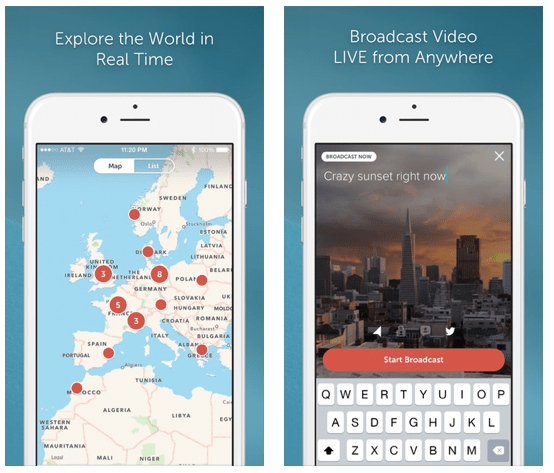
1) Periscope

Apple’s favorite app of the year.
The idea of broadcasting live video from your phone isn’t a new one, but all the early entries flopped pretty hard. Twitter has seemingly figured out the formula with Periscope, though; just about any time news of a major event goes down, someone will have a Periscope stream up from the scene.


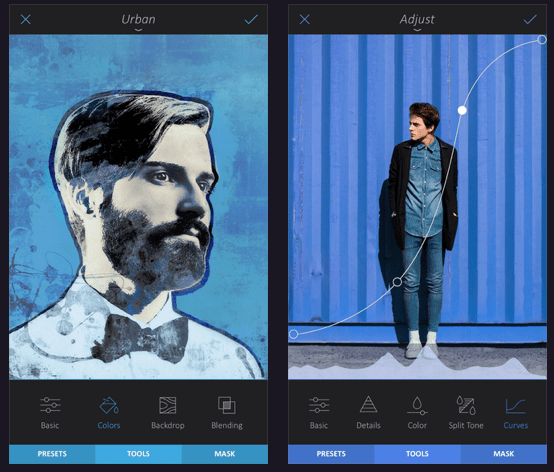
2) Enlight

A surprisingly advanced all-in-one photo editing tool. It’s not a Photoshop replacement, but it does a whole lot more than filters.


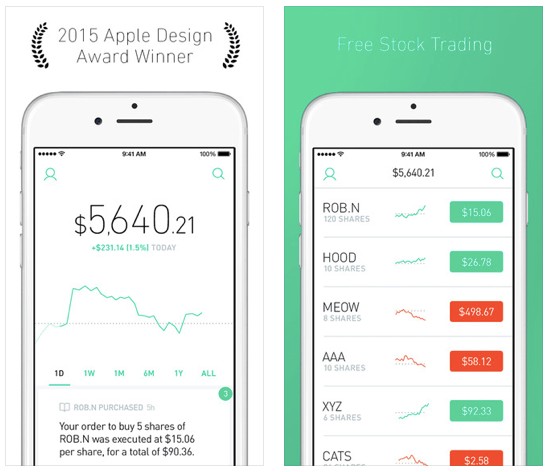
3) Robinhood

Robinhood lets people buy stock without paying anything for each trade. So how do they make money? Currently, by accruing interest on the money sitting in user’s account.


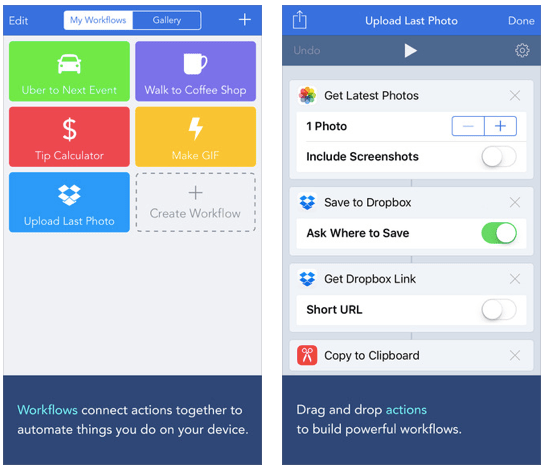
4) Workflow

Workflow lets you build one-tap actions for things you do often (like calling your mom, ubering to work, or uploading your last photo to Dropbox) and put them in your iPhone’s widget drawer.


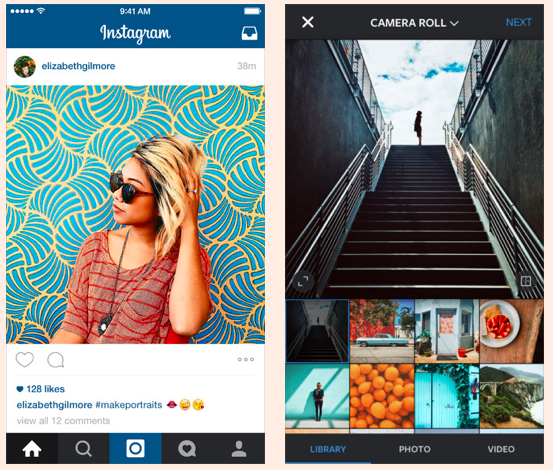
5) Instagram

You read TechCrunch. You know what Instagram is.


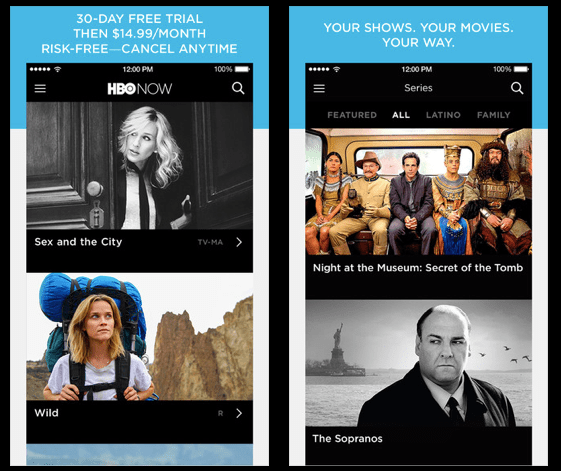
6) HBO Now

HBO’s standalone app for streaming the stuff once reserved for your cable box, AKA known as “The reason you keep in touch with your good-friend-from-grade-school’s mom because she’s letting you log in with her account”


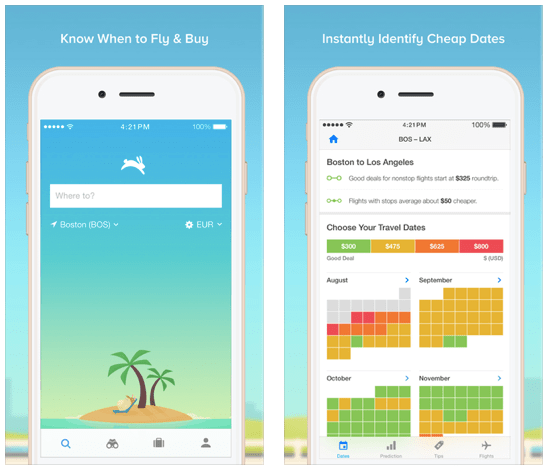
7) Hopper

Heading out on a trip soon? Punch the details into Hopper, and it’ll keep an eye out for price drops and try to figure out the best time to buy.


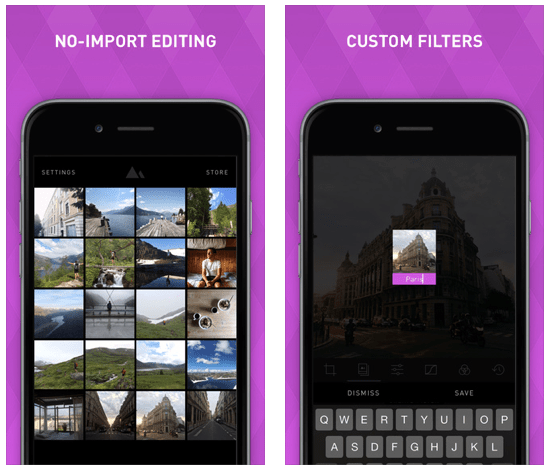
8) Darkroom

Another photo editing app, but with a clever twist: you can build your own Instagram-esque filters.


9) Lark

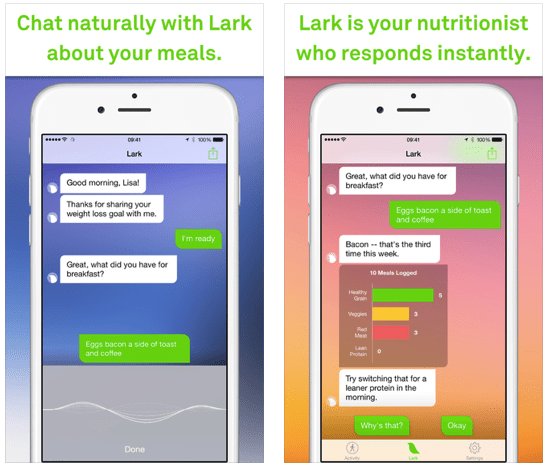
An AI nutritionist. You talk to Lark like it’s a buddy, and it responds and advises you like a human trainer might. It’ll also use your phone’s sensors to scrap activity/workout data


10) The Everything Machine

Got a kid who likes to tinker and build?
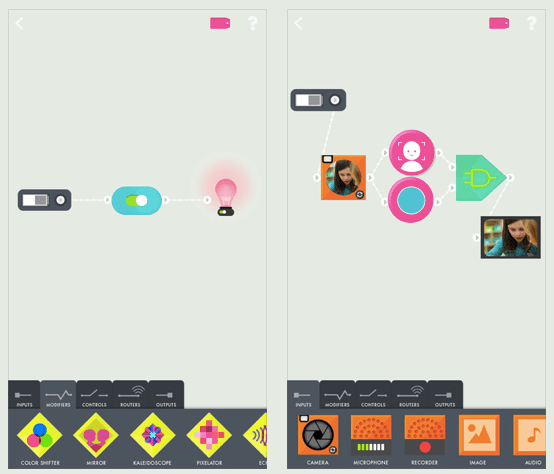
The Everything Machine is a visual design tool that lets them build virtual gadgets with all sorts of components — light bulbs, switches, displays, and more.


11) Pacemaker

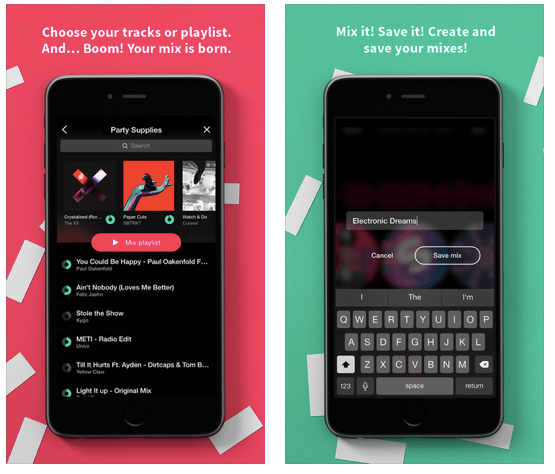
Surprise house party? Pacemaker lets you DJ from your iPad. Plug in your Spotify credentials, and you’ll be able to scratch, add effects, and slide between multiple tracks.


12) Tandem

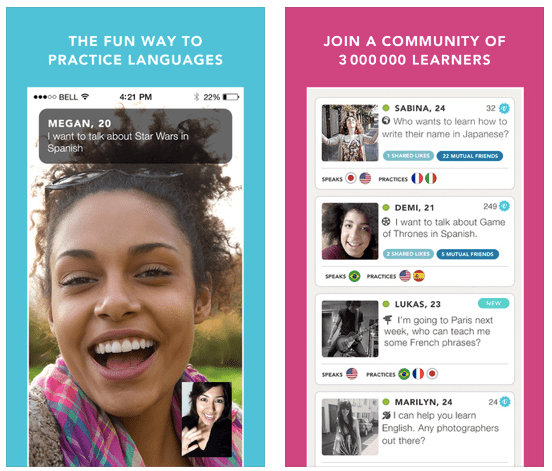
Practice languages by chatting with native speakers. You say what language you want to practice and what you’re interested in, and Tandem connects you. You can text, video chat, or do a voice call.


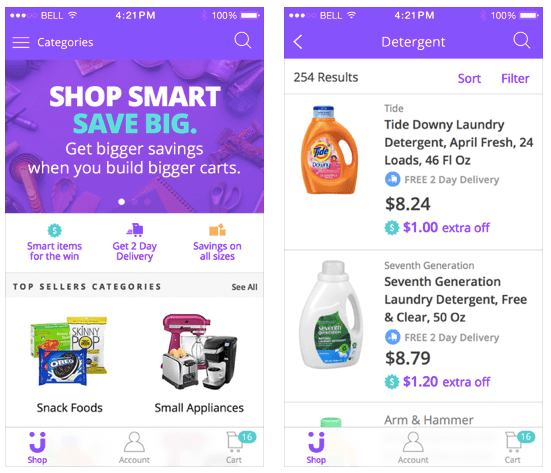
13) Jet

A shopping app with a curious twist: as you add more stuff to your cart, Jet searches across retailers to find the cheapest combination of those items and passes the savings on to you.


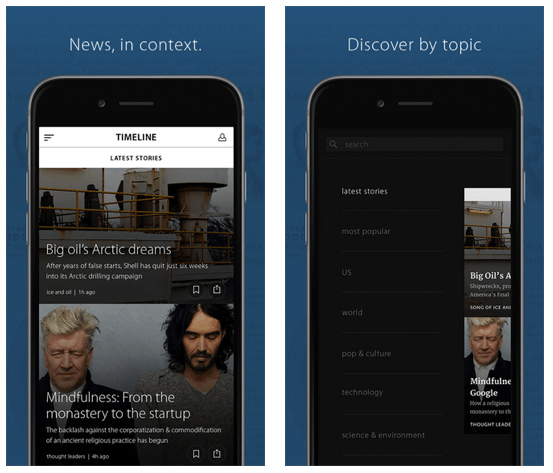
14) Timeline

Timeline says they “put news in context”. For each story, there’s a timeline that you can scrub through to display related stories past.


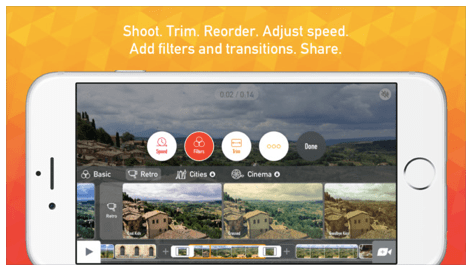
15) Vee for Video

Think iMovie, but with more video effects and filters.


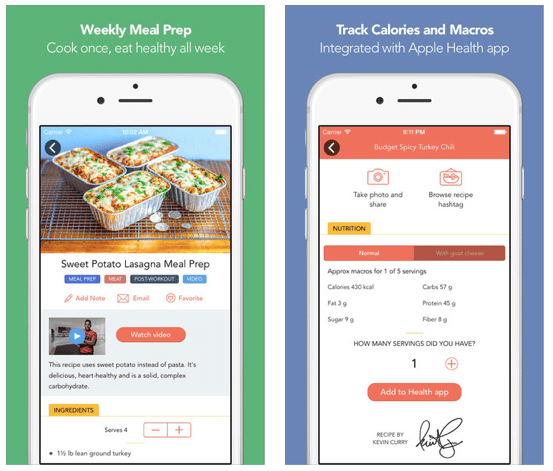
16) Fit Men Cook

Simple, budget-conscious recipes that can often be made in bulk for a week’s worth of meals.


17) Spark

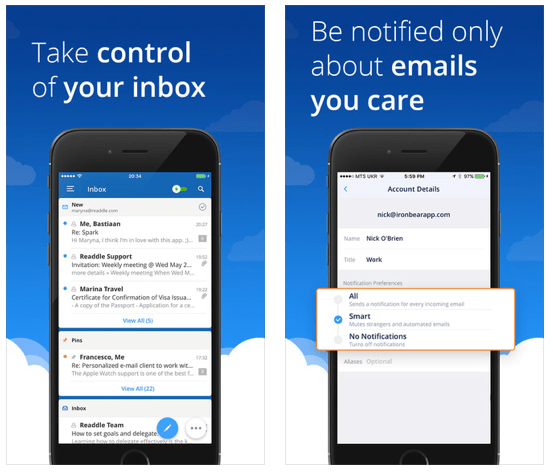
A super-slick, customizable email app. You can read our full review here. My favorite feature: intelligent searches in plain english, so you can search for things like “emails with attachments from last month”


18) RefMe

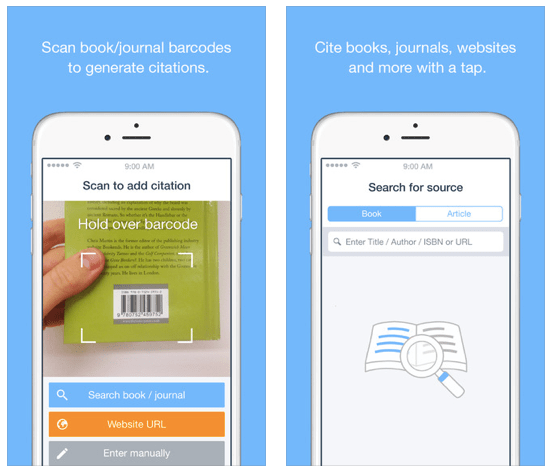
A college student’s best friend. When you need to cite a book for a paper, just scan the barcode. Pick your citation style, and it’ll generate your citation page for you.


19) Wildcard

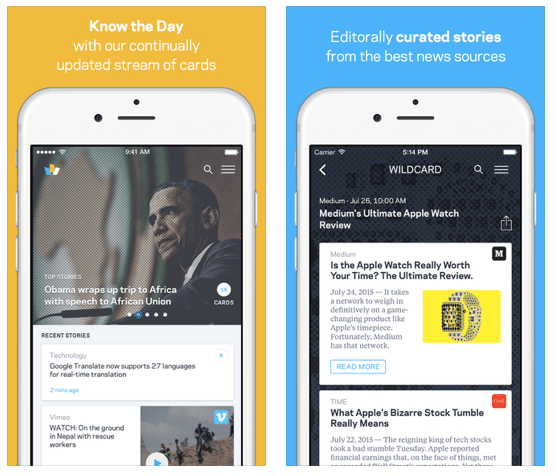
The news from each day broken down into 2-3 sentence chunks.


20) Paper

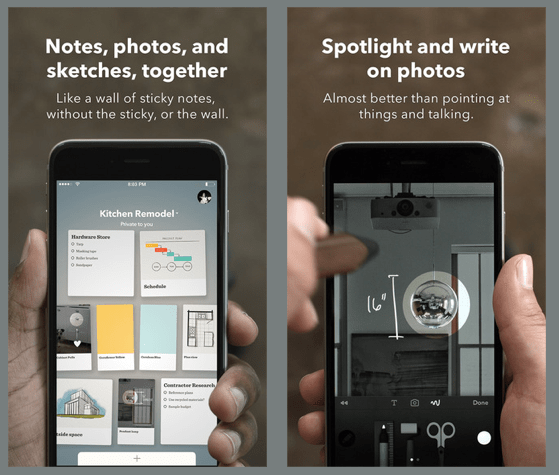
A super pretty organizer for stuff you’d want handy — notes, to do lists, doodles, and photos. It’s like a gorgeous little virtual pinboard.


21) Giphy Cam

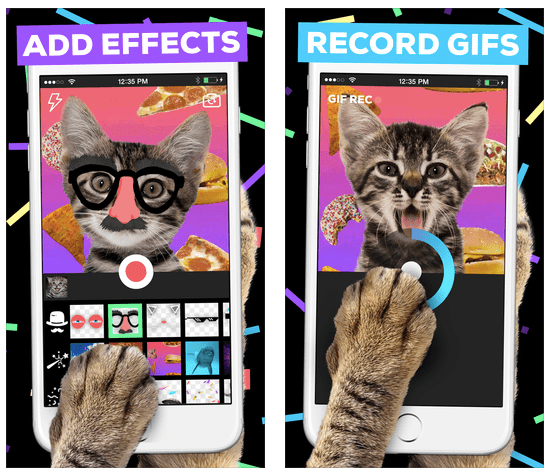
As the name implies: its a photo tool for quickly making GIFs. Hit record, add a filter if you want, boom: gif.


22) PRY

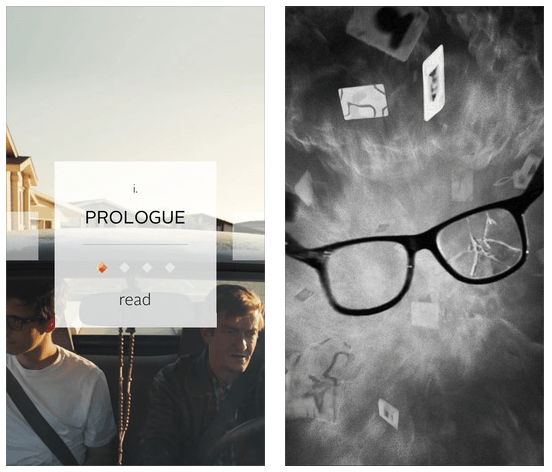
Part game, part book, part movie. An interactive story that strays from the normal way we read.


23) Reuters TV

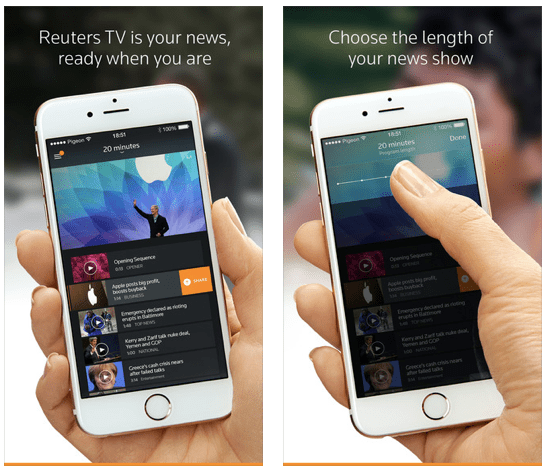
Slick, personalized video news. Only got 10 minutes to catch up on what’s going on? Punch in how much time you have, then just swipe through the stories you don’t care about.


24) ZOVA

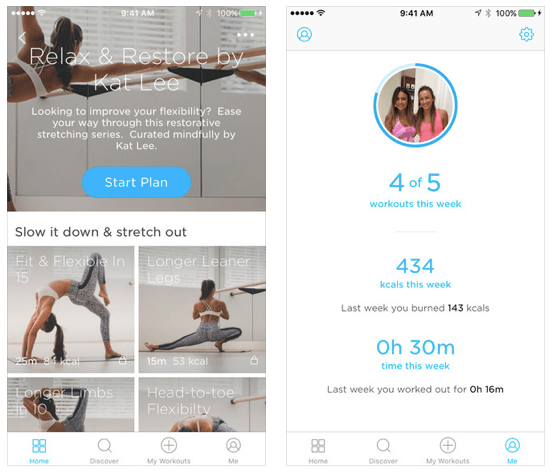
Short, easy-to-follow workouts designed mostly for women.


25) BlueApron

One of my favorite things of the year, as well.

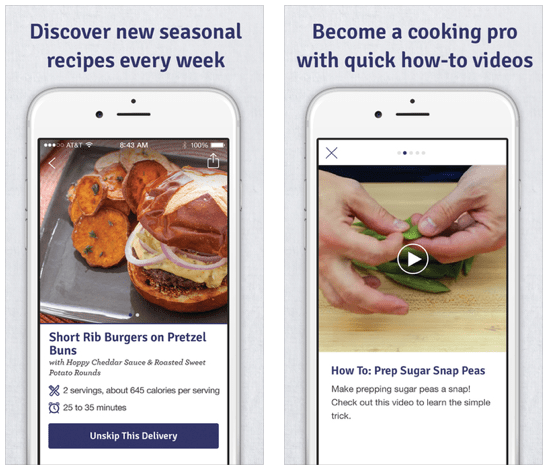
BlueApron takes all the fun parts of cooking and gets rid of the crappy parts. Hate shopping? BlueApron delivers pre-portioned fresh ingredients to your door. Hate digging through recipes? BlueApron picks them for you, though they give you some options.

They break down the meals in super easy to follow ways, and the meals are pretty damned tasty. It can be hit-or-miss at sometimes, but I’ve liked more meals than I disliked. Plus, it gets me to cook/try things I’d otherwise normally not consider.